A portable SSD
A pocket-sized drive, usually far faster than a pendrive: a second copy of your photos, projects and phone backup.
Opens Amazon.in in a new tab · affiliate link

Photos and videos pile up on the laptop and on the phone, and nobody wants to be the person who lost years of them. A portable hard drive gives you a lot of room, in a small box, for a second copy of everything.
Opens Amazon.in in a new tab · affiliate link
An example: WD Elements Portable hard drive, 2 TB, found with a search on Amazon.in.
Space for a photo library, phone backups and old projects, all in one small drive.
A copy on another device is what saves you when a laptop breaks or a phone goes missing.
Copy once, top it up every few weeks, and let the drive sit in a drawer until the day you need it.
Most portable drives take their power from the USB cable, so there is no extra plug to carry.
You want a copy of the whole year’s phone photos before you reset the phone.
The laptop is full, and old projects need somewhere to live that is not a cloud.
It is a quiet Sunday and you finally do the backup, once, properly.
Two minutes with the listing now beats a surprise later. Look at these three things first.
We have not tested this product ourselves. It is an example of a well-known make that is widely sold, and the listing on Amazon.in is the place to check the details against your own phone and computer.
A hard drive is slower than an SSD and does not like being dropped while it runs. It is a good fit for a drawer, and a less good one for a rucksack.
Work out what you want to keep, add some room, and look at the sizes in the listing. Photos and video grow faster than you expect.
Many drives come ready for Windows (NTFS). A Mac can read NTFS but not write to it, so if you use a Mac, reformat as exFAT first. ZeroMDroid tells you when a drive is read-only.
Plug the drive in and ZeroMDroid lists it next to your folders: pull the phone’s photos over Wi-Fi or a cable, then drag them across to the drive. ZeroMDroid copies files; it does not run backups by itself, so you decide when.
Short, plain answers, including how this link works.
A hard drive suits a big backup that you rarely touch. An SSD suits files you work on and carry. If you want both, the hard drive is for the drawer and the SSD for the bag.
Whenever losing the last batch would hurt: after a trip, before a phone upgrade, at the end of each month. Two copies in two places beat one copy in a very good place.
No. The price is the same with or without our link, and Amazon.in shows it, not us. If you buy, Fabrixly earns a small commission from Amazon. Nobody pays us to list a product.
No rush. The listing has the details, and what to check is right above. If it fits your phone and your computer, it is a small thing that makes a big job easier.
Opens Amazon.in in a new tab · affiliate link
A pocket-sized drive, usually far faster than a pendrive: a second copy of your photos, projects and phone backup.
Opens Amazon.in in a new tab · affiliate link
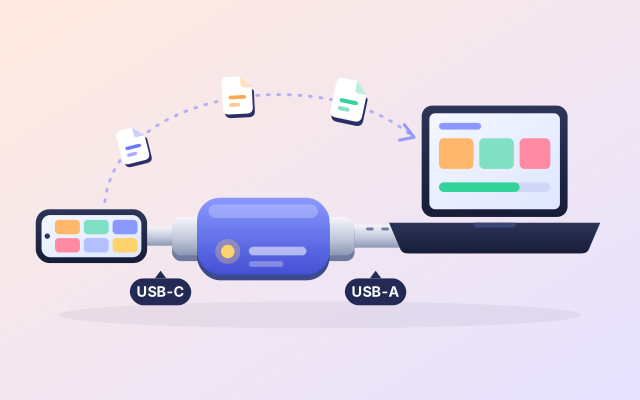
One pendrive with both plugs: put files on from your phone, take them off at any laptop, with no adapter and no cloud.
Opens Amazon.in in a new tab · affiliate link
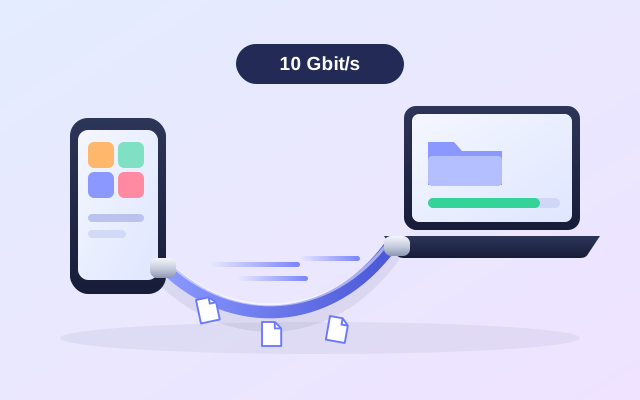
Most charging cables copy at USB 2.0 speed. A cable rated for 10 Gbit/s can finish big copies several times sooner.
Opens Amazon.in in a new tab · affiliate link
As an Amazon Associate I earn from qualifying purchases. Every link to Amazon.in on this page is an affiliate link: if you buy through it, Fabrixly earns a small commission from Amazon, and the price you pay does not change. Nobody pays us to list a product.
We have not tested these products ourselves. They are well-known brands that are widely sold, and the listing on Amazon.in is the place to check the details. Prices and availability are shown on Amazon.in, not here.