A 10 Gbit/s USB-C cable
Most charging cables copy at USB 2.0 speed. A cable rated for 10 Gbit/s can finish big copies several times sooner.
Opens Amazon.in in a new tab · affiliate link
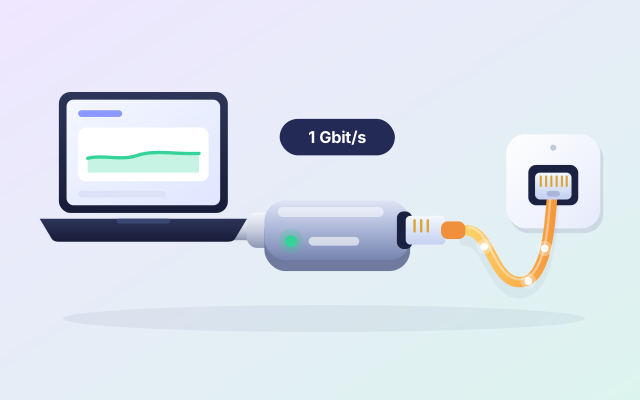
Many thin laptops have no network port, and Wi-Fi can wobble just when you need it steady. A USB-C Ethernet adapter gives the laptop a wired line to the router, which is usually steadier than Wi-Fi and leaves the airwaves free for your phone.
Opens Amazon.in in a new tab · affiliate link
An example: TP-Link UE300C, USB-C to Gigabit Ethernet, found with a search on Amazon.in.
A wire does not care about walls, distance or the neighbours’ networks, so a long copy keeps its speed from start to finish.
With the laptop on a wire, the Wi-Fi has more room for the phone, which is the other end of a ZeroMDroid transfer.
It goes into a USB-C port and takes its power from it. Most work without a driver: check the listing for your system.
Offices, hotels and co-working spaces often have a network socket on the desk. Now the laptop can use it.
You are copying a big folder to the laptop and want to leave it alone and walk away.
The hotel or office has a network socket on the desk and weak Wi-Fi in the room.
You are on a long video call and still have a 20 GB copy to run.
Two minutes with the listing now beats a surprise later. Look at these three things first.
We have not tested this product ourselves. It is an example of a well-known make that is widely sold, and the listing on Amazon.in is the place to check the details against your own phone and computer.
Gigabit (1000 Mbit/s) is the usual and is plenty for most homes. Faster adapters exist, but then the router and the cable have to match.
Most adapters work with Windows, macOS and Linux, and some older systems need a driver. Check the listing for yours.
You need a network cable and a free port on the router or on the wall. Check whether a cable comes with the adapter.
ZeroMDroid devices on the same network find each other, wired or on Wi-Fi: a laptop on a wire and a phone on the Wi-Fi of the same router usually pair as normal. If they cannot see each other, type the other device’s address in the app.
Short, plain answers, including how this link works.
Yes, unless you join the phone and the computer with a cable. The phone connects over Wi-Fi to the same router that the laptop is wired to.
Not always faster, but usually steadier. A good Wi-Fi 6 link and a Gigabit wire can be close in top speed. The wire holds its pace better when many devices share the network or you are far from the router.
No. The price is the same with or without our link, and Amazon.in shows it, not us. If you buy, Fabrixly earns a small commission from Amazon. Nobody pays us to list a product.
No rush. The listing has the details, and what to check is right above. If it fits your phone and your computer, it is a small thing that makes a big job easier.
Opens Amazon.in in a new tab · affiliate link
Most charging cables copy at USB 2.0 speed. A cable rated for 10 Gbit/s can finish big copies several times sooner.
Opens Amazon.in in a new tab · affiliate link
A pocket-sized drive, usually far faster than a pendrive: a second copy of your photos, projects and phone backup.
Opens Amazon.in in a new tab · affiliate link
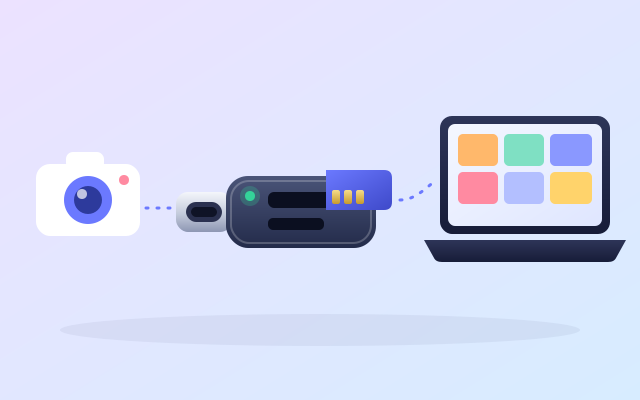
Copy a day of photos from the card to your computer at the card’s own speed, with no phone in the middle.
Opens Amazon.in in a new tab · affiliate link
As an Amazon Associate I earn from qualifying purchases. Every link to Amazon.in on this page is an affiliate link: if you buy through it, Fabrixly earns a small commission from Amazon, and the price you pay does not change. Nobody pays us to list a product.
We have not tested these products ourselves. They are well-known brands that are widely sold, and the listing on Amazon.in is the place to check the details. Prices and availability are shown on Amazon.in, not here.